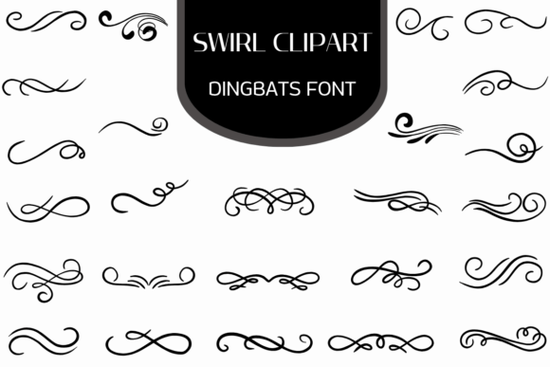
If you're looking for a simple, flexible way to add elegant swirls and flourishes to your designs without wrestling with individual vector files the Swirl Clipart Font is worth your attention. It’s not a traditional alphabet font, but a dingbat font: every key on your keyboard triggers a unique ornamental glyph think delicate swirls, scrollwork, corner accents, dividers, and border elements all drawn in clean, scalable vector format. Whether you’re designing wedding stationery, printable planners, social media graphics, or POD product mockups, this collection gives you consistent, professional-looking embellishments in just one click.
How does a dingbat font like this actually work?
You install it like any other font on your computer (Mac or Windows), then select it in your design app whether that’s Canva, Adobe Illustrator, Photoshop, Affinity Designer, Cricut Design Space, or even Microsoft Word. Type a letter, number, or symbol, and instead of text, you’ll see a swirl, a flourish, or a decorative element appear. Each character maps to a different design, so you get full control over placement, size, color, and spacing no copy-pasting or manual resizing needed.
Because every glyph is a vector, you can scale the Swirl Clipart Dingbats Font up for a large wall art print or down for a tiny label without pixelation or quality loss. That makes it especially useful for crafters using cutting machines (like Silhouette or Cricut), where crisp edges matter for clean cuts.
What kinds of projects benefit most from these swirls?
This isn’t just for “pretty” touches it solves real design problems:
- Certificates & awards: Add subtle corner swirls or top/bottom borders to give formal documents more presence.
- Printables & planners: Use divider glyphs between sections or as section headers no need to hunt for matching SVGs.
- Branding & packaging: Frame logos or product names with custom swirl borders that match your brand’s tone (elegant, vintage, romantic, or modern-minimalist).
- SVG cut files: Convert glyphs to outlines in Illustrator or Inkscape, then export as SVG for use in cutting software ideal for layered paper crafts or vinyl decals.
- Social media & web graphics: Drop a single flourish behind a quote or headline in Canva to add visual rhythm without clutter.
Who finds this especially helpful?
Small business owners creating their own labels or packaging often overlook how much polish a few well-placed ornaments add and how time-consuming it is to source, align, and recolor separate clipart files. With this font, you pick a swirl, adjust its size and color, and move on. Print-on-demand sellers appreciate that it works across platforms: upload a PNG mockup with swirl accents generated directly in Canva, or build layered PSD templates with editable vector flourishes.
Designers who work with clients also find value here not because it replaces custom illustration, but because it speeds up early-stage mockups and provides consistent styling options clients can preview quickly. And for hobbyists learning design tools, it’s a low-pressure way to experiment with composition and visual hierarchy.
How does it compare to free swirl fonts or clipart packs?
Most free dingbat fonts are either overly stylized (hard to match with other elements) or built from low-res raster images. The Swirl Clipart Font stands out because every glyph is hand-drawn, evenly spaced, and designed to sit comfortably alongside common typefaces. You won’t run into awkward kerning gaps or mismatched line weights. It also includes thoughtful variations some swirls curve left, others right; some are compact for tight spaces, others stretch wide for banners.
For reference, other well-regarded decorative fonts in this style include Vintage Flourish Font and Ornamental Border Font but the Swirl Clipart Font focuses specifically on fluid, organic movement rather than rigid geometry or heavy ornamentation.
A quick checklist before you download
- ✅ You’ve installed the font file (.OTF or .TTF) to your system (not just opened it).
- ✅ You’re using an app that supports OpenType fonts (most do but some basic editors may not show all glyphs).
- ✅ You’ve checked the included PDF guide (if provided) for the character map so you know which key produces which swirl.
- ✅ You’ve tested scaling and coloring in your intended output format (e.g., exported PNG at 300 DPI for print, or SVG for cutting).
If you regularly add decorative elements by dragging and dropping individual SVGs or if you’ve ever spent 20 minutes trying to align three separate swirls into a balanced border the Swirl Clipart Dingbats Font is likely a practical time-saver, not just another design asset. Try it on your next planner page, greeting card layout, or shop banner you’ll notice the difference in consistency and control.
Get Started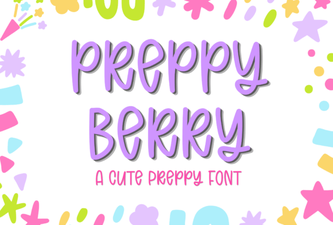 Preppy Berry Font Designs & Project Ideas
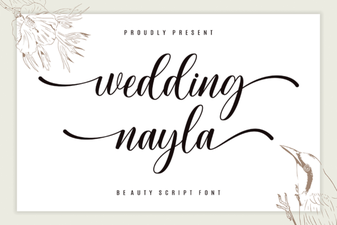 Wedding Nayla Font Ideas & Design Tips
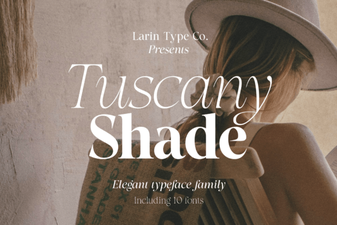 Tuscany Shade: a Versatile Font for Creative Designs
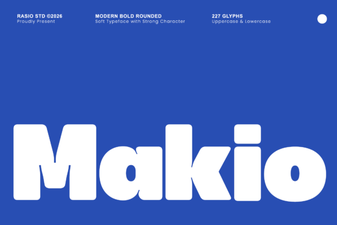 Makio Font: Elegant Geometric Design for Modern Projects
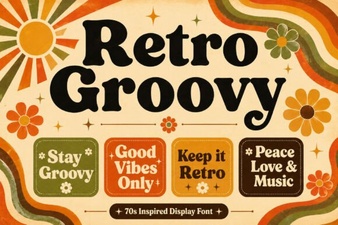 Retro Groovy Fonts for Creative Design Projects
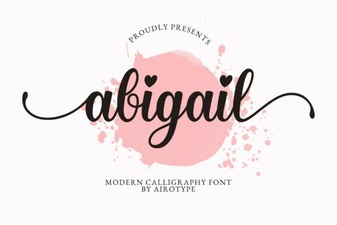 Modern Typography Projects Using Abigail Font