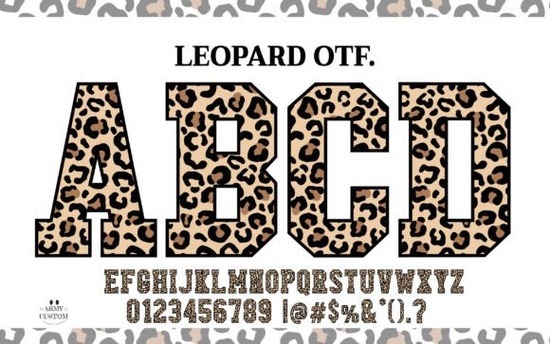
If you're looking for a bold, eye-catching font that stands out on apparel, mugs, or vinyl decals especially for sporty, playful, or wildlife-themed designs the Leopard Varsity Font is a smart, practical choice. It’s not just another script or sans-serif; it’s a color font with built-in leopard-print textures in each letter, giving your text instant visual texture and personality. Unlike layered effects you’d build manually in design software, this one delivers the look in a single click and the black version works smoothly with Cricut Design Space and other cutting machines.
What makes this font different from regular varsity fonts?
Most varsity-style fonts rely on clean outlines, blocky serifs, or simple fills but Leopard Varsity Font replaces those with organic, irregular spots inspired by real leopard fur. That means no two letters look exactly alike in terms of pattern placement, adding subtle variation and life to your text. It’s designed to feel handmade, not digital. You’ll notice the texture holds up well even at medium sizes (1.5–3 inches tall), which matters if you’re applying it to t-shirts, tote bags, or wall decals.
The font includes both color and black versions. The full-color version displays best in apps like Adobe Illustrator, Affinity Designer, or Canva (with proper color font support), while the black version is optimized for craft cutters no extra steps needed to separate layers or convert to outlines. That saves time whether you’re prepping 10 shirts for a school fundraiser or 100 custom stickers for an Etsy shop.
Who uses this font and where does it work best?
Small business owners and print-on-demand sellers often reach for it when designing:
- Sporty kids’ apparel (“Wild Team,” “Jungle Squad,” “Puma Pride”)
- Zoo, safari, or animal rescue event merch
- Teen room decor or nursery prints with a nature theme
- Vinyl quotes for tumblers, notebooks, or laptop stickers
- DIY party supplies think birthday banners or cupcake toppers with a fun, untamed vibe
It’s especially handy if your audience responds well to tactile, textured visuals. People scrolling through Instagram or Etsy tend to pause longer on designs that feel rich or layered even if it’s just typography doing the heavy lifting.
How do I use it with my cutting machine?
For Cricut users: download the black version, install it like any TrueType font, then type your word in Design Space. No image upload or contouring required the font renders as a solid black shape ready to cut. Just remember to weld the letters if you want them connected (e.g., for a smooth “LEOPARD” outline). If you’re using Silhouette Studio, make sure you’re on version 5.0+ for full compatibility with the black variant.
Pro tip: Pair it with a clean, neutral sans-serif (like Montserrat or Poppins) for subtitles or small print. That contrast keeps the focus on the leopard texture without overwhelming the layout.
Is it beginner-friendly?
Yes if you’ve used fonts before, you can use this one. No plugins, no coding, no special setup beyond installing the .ttf file. The included PDF guide walks through basic usage in common tools, and there’s a quick video demo linked in the product listing. If you’ve ever typed “HELLO” and changed the font, you’re already halfway there.
You’ll find similar texture-based options in our collection of colorful fonts, but few match the balance of readability and character this one offers at larger sizes. For comparison, the Leopard Varsity Font sits between highly decorative display fonts and functional craft fonts making it versatile without sacrificing style.
Things to keep in mind before downloading
- Color version: Best for digital design or high-res print (PDF, PNG export). Not supported in all cutting software.
- Black version: Made specifically for vinyl, heat transfer, and paper cutting works reliably across platforms.
- Licensing: Personal and commercial use included (no extra fees for POD shops or small batches).
- File formats: .TTF (both versions), plus a PDF guide and bonus SVG files for quick drag-and-drop use.
It won’t replace every font in your library but if you regularly design for themes involving animals, sports, youth, or nature, it’s one of those quiet workhorses that solves a specific problem: making plain text feel alive, without extra effort.
Before you start your next project: Install the black version first, test it with a short word like “ROAR” in your cutting software, and check spacing and weld settings. Then try the color version in a mockup tool to see how the texture reads on a product photo. That two-step preview helps avoid surprises later.
Get Started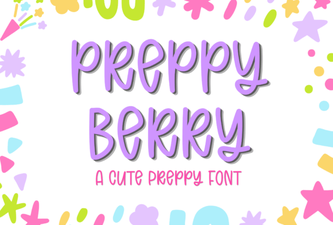 Preppy Berry Font Designs & Project Ideas
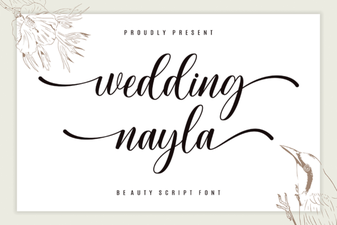 Wedding Nayla Font Ideas & Design Tips
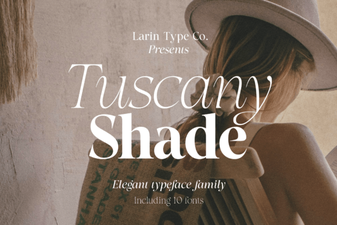 Tuscany Shade: a Versatile Font for Creative Designs
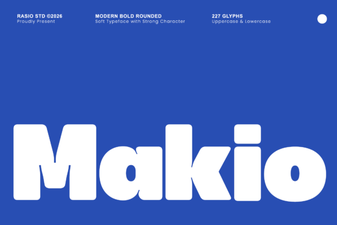 Makio Font: Elegant Geometric Design for Modern Projects
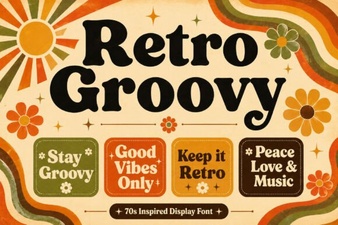 Retro Groovy Fonts for Creative Design Projects
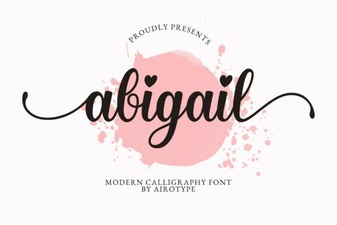 Modern Typography Projects Using Abigail Font