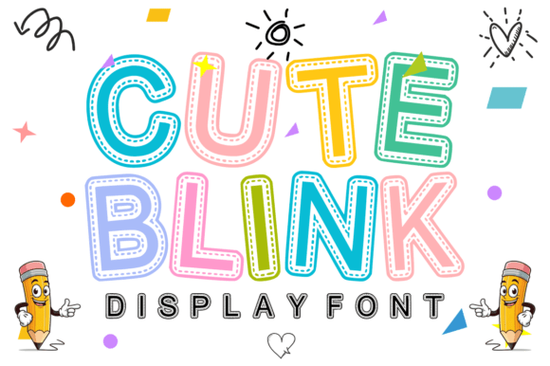
If you're looking for a friendly, handcrafted display font that works especially well for kids’ projects, classroom materials, or playful merchandise, Cute Blink Font is a thoughtful choice. It’s not overly busy or cartoonish instead, it balances bold, rounded letterforms with a subtle dashed-line stitch effect inside each character. That inner stitching gives it the gentle charm of embroidered fabric or a handmade patch, without sacrificing readability at medium to large sizes. It’s designed to feel warm and intentional, not gimmicky and that makes it more versatile than it first appears.
What kind of projects does Cute Blink work best for?
This font shines where personality and approachability matter most. Think beyond just “cute” and consider how its tactile, stitched texture adds quiet storytelling to your design. Teachers use it for classroom posters and behavior charts because students respond well to its soft edges and friendly rhythm. Print-on-demand sellers find it effective on toddler onesies, baby shower banners, and nursery wall art especially when paired with simple line-drawn icons or muted pastel palettes. Crafters using Cricut or Silhouette machines appreciate that the stitch detail holds up cleanly in cut files, and the OpenType features include standard ligatures and alternate characters for extra flexibility.
It’s also a strong option for small businesses creating branded resources like printable planners for homeschool families or illustrated sticker sheets for indie stationery shops. Unlike some decorative fonts that fade into background noise, Cute Blink keeps its identity even at smaller sizes (down to ~24pt for headings), thanks to generous spacing and clear stroke contrast.
How does it compare to other playful display fonts?
Compared to bolder, high-contrast options like Ash Font, Cute Blink feels softer and more intimate less “vintage sign painter,” more “hand-stitched quilt label.” And while Checkered Varsity Font leans sporty and energetic, Cute Blink invites warmth and calm attention. You’ll notice this difference most when layering text over photos or textured backgrounds: its internal stitching adds depth without competing visually.
That said, it’s not meant for body text or long paragraphs. Like most display fonts, it’s built for impact not endurance. Use it for headlines, labels, short quotes, or product names where tone matters as much as legibility.
Can I use it commercially?
Yes. The license covers both personal and commercial use, including physical products (like mugs, T-shirts, and greeting cards) and digital items (such as Canva templates, printable planners, or SVG bundles sold on Etsy). There’s no limit on sales volume, and you don’t need to credit the designer but always double-check the latest license terms on the product page before launching a high-volume POD line.
One practical note: if you’re planning to use Cute Blink in embroidery software or vector-cutting tools, test the stitch lines at your intended size first. Some programs interpret fine interior details differently especially when converting outlines to paths. A quick PDF preview or low-res PNG export helps spot any thin strokes that might vanish during rasterization.
Where else can you find similar style fonts?
If you like the handmade texture but want alternatives for different moods, explore fonts like Ash Font for vintage charm or Checkered Varsity Font for a bolder, retro-sports vibe. And of course, you can always come back to Cute Blink Font when you need that specific blend of playfulness and craft-inspired detail.
Designers often pair Cute Blink with clean sans-serifs (like Poppins or Quicksand) for contrast or with light handwritten companions for layered invitations and scrapbook pages. Avoid pairing it with other heavily textured fonts; the stitching effect already carries visual weight.
Before you download:
- Check that your design software supports OpenType features (for access to alternates)
- Test the font at your smallest intended size especially for sublimation or heat-transfer projects
- Review the license for any restrictions on SaaS platforms (e.g., Canva brand kits or Adobe Express templates)
- Save a backup copy locally you’ll want it for future projects even if your Creative Fabrica library changes
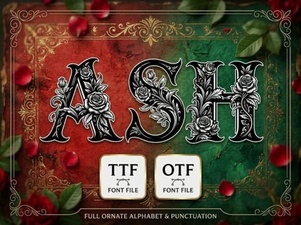 Ash Font Download & Installation Guide for Designers
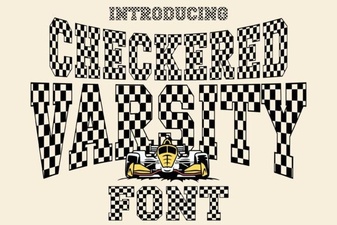 Design Projects with Checkered Varsity Fonts
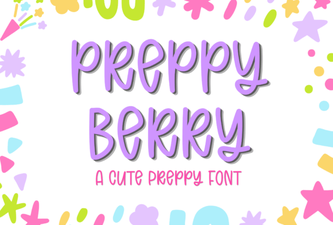 Preppy Berry Font Designs & Project Ideas
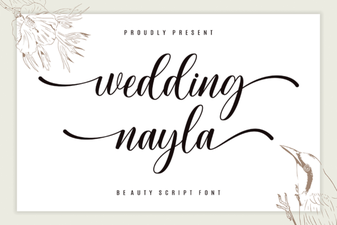 Wedding Nayla Font Ideas & Design Tips
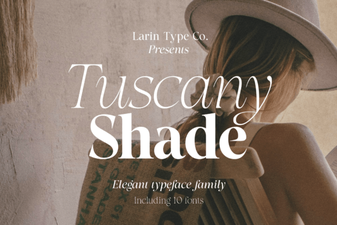 Tuscany Shade: a Versatile Font for Creative Designs
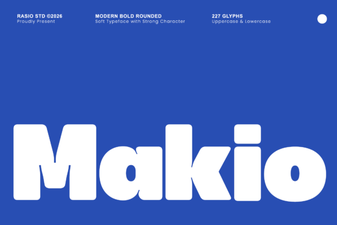 Makio Font: Elegant Geometric Design for Modern Projects